Launch a 360 review cycle
Run self, manager, skip-level, peer and upward reviews on the cadence you choose.
5 min read
A review cycle collects assessments against your frameworks. You pick the period, the assessment types and which teams take part.
Steps
- 1
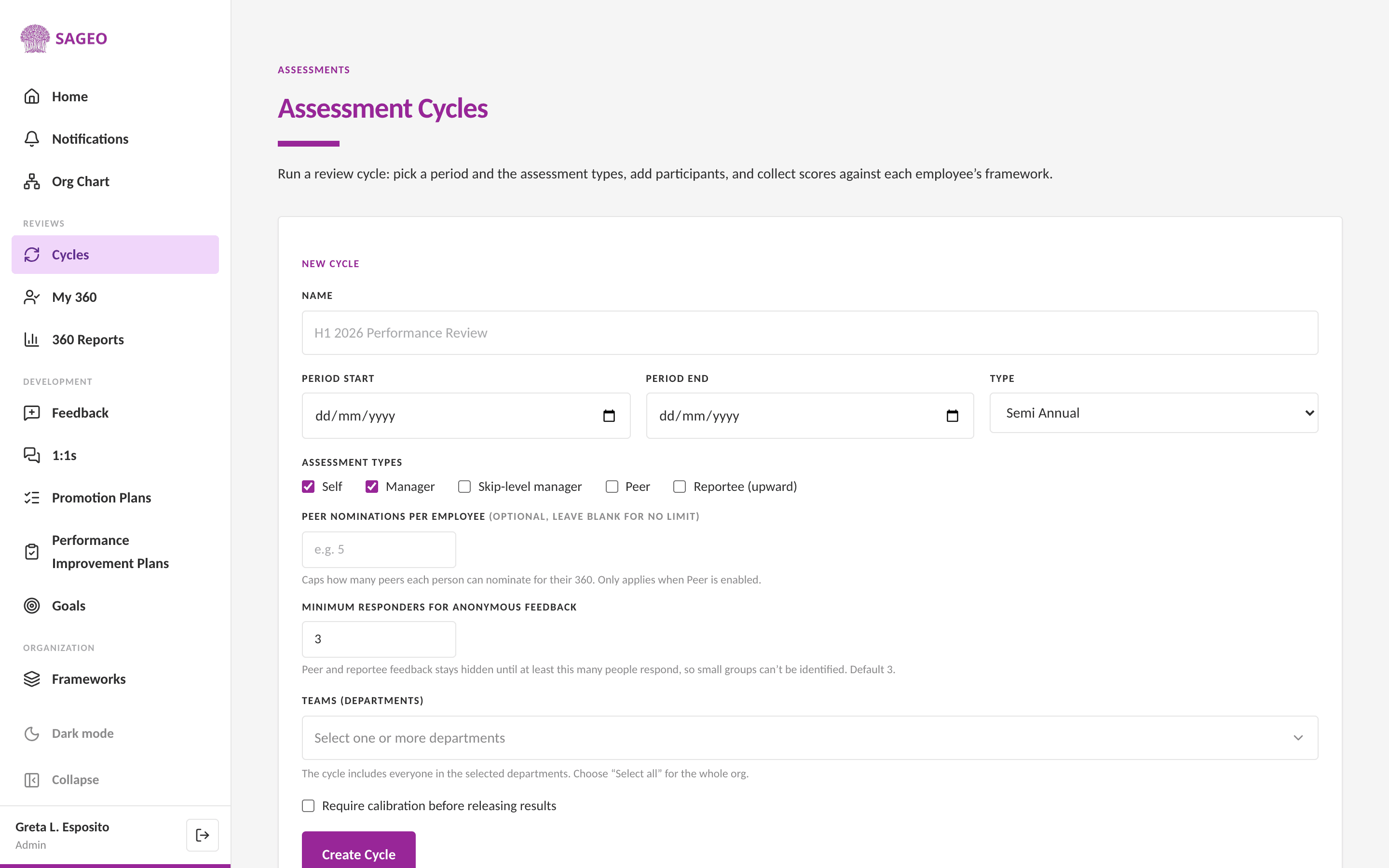
Open Cycles from the sidebar. The New Cycle form is on that page.
- 2
Name the cycle, set the period, and choose a type: annual, semi-annual, quarterly, monthly, probation or custom.
- 3
Choose the assessment types: Self, Manager, Skip-level manager, Peer and Reportee (upward). If Peer is on, you can cap peer nominations per person; reports nominate and managers approve.
- 4
Set the minimum responders for anonymous feedback (default 3), pick the teams (departments) to include, and create the cycle.
- 5
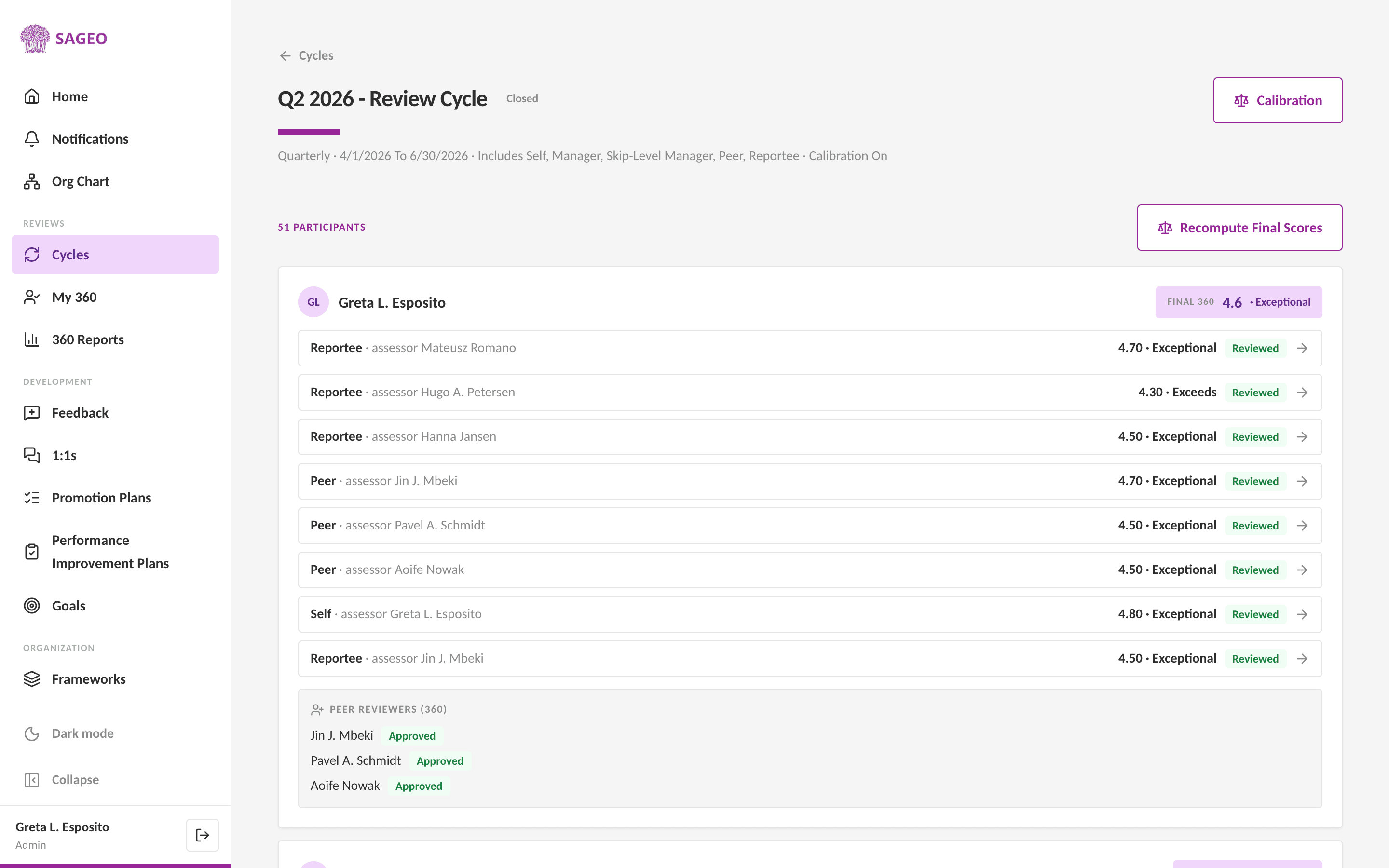
Assessors complete their reviews against each person's framework. Track progress from the cycle.
Tip
The minimum-responders setting keeps peer and upward feedback anonymous, small groups can't be identified.
Still stuck? Email hello@sageo.ai and a person will help.