Calibrate results and log reasons
Adjust ratings for consistency across a group, with an audit trail.
5 min read
Calibration lets you compare ratings across a group and adjust for consistency before results are shared. Every change is logged.
Steps
- 1
Open the cycle and go to Calibration.
- 2
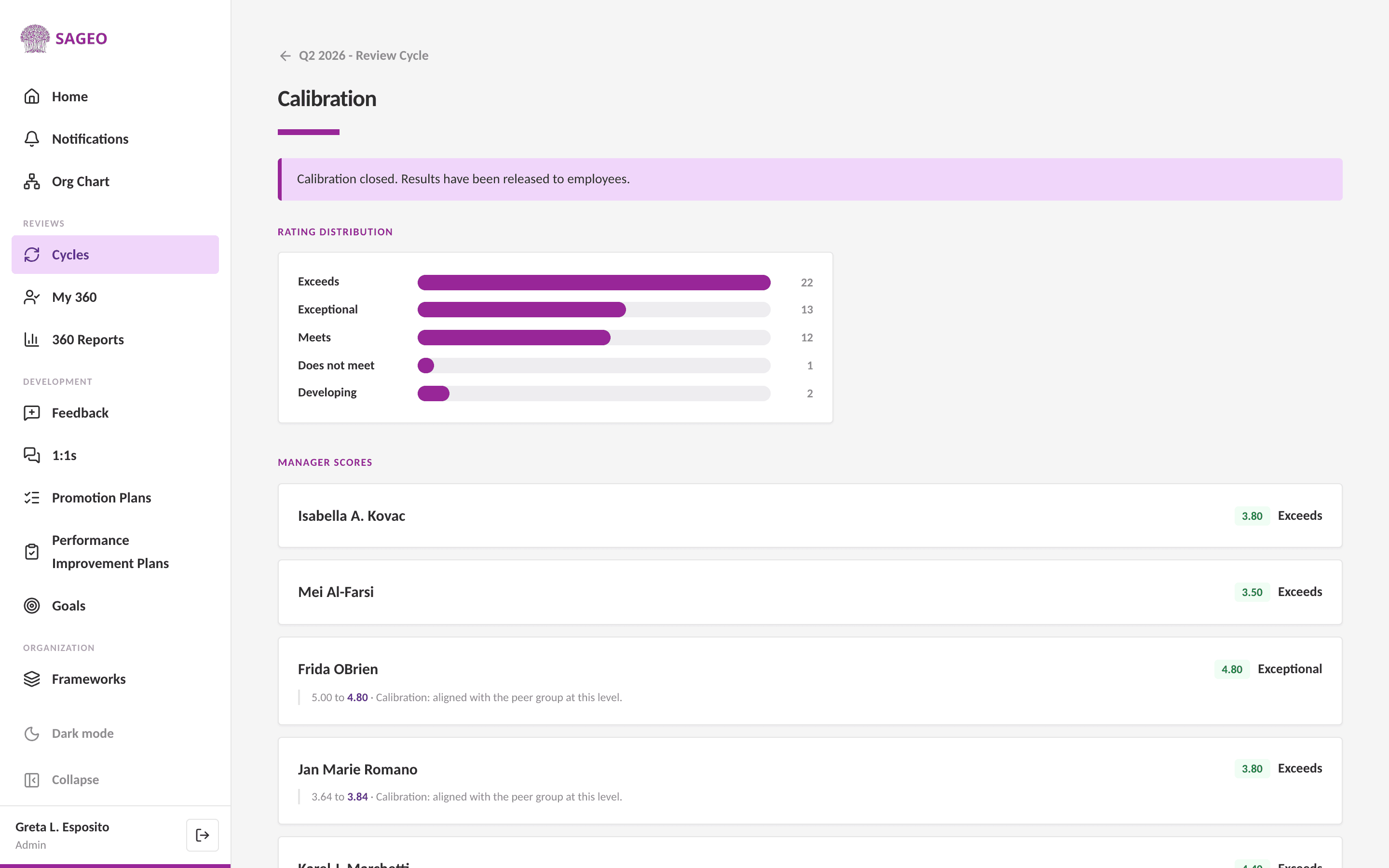
Review the group side by side. The rating distribution and manager scores help you spot outliers.
- 3
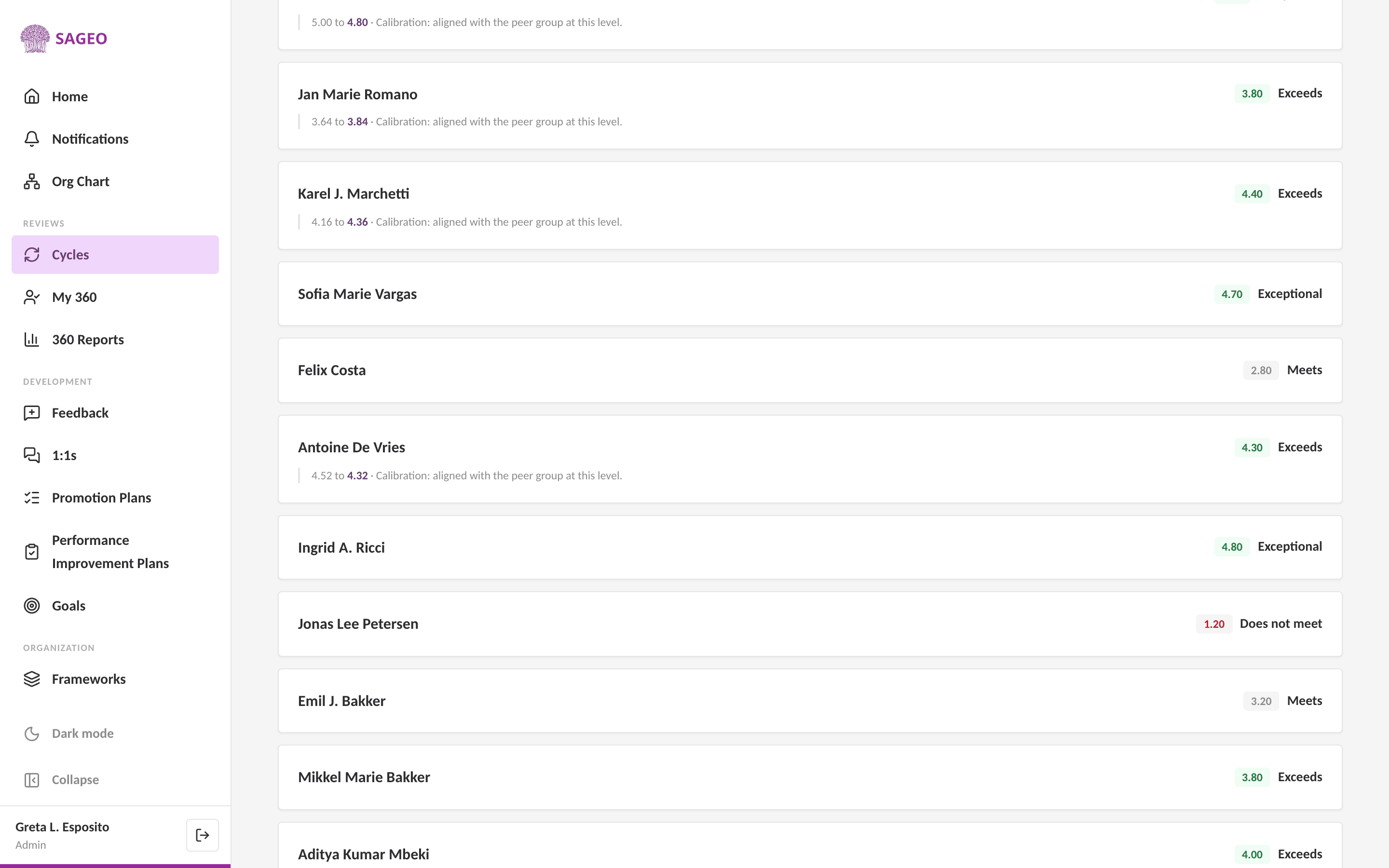
To change a score, open the person and enter the new rating. Sageo requires a reason for every change.
- 4
The change and its reason are written to an audit trail that cannot be edited later.
- 5
Results stay hidden from employees until you close calibration and release them.
Why the reason is required
A logged reason makes every rating decision defensible if it is ever questioned.
Still stuck? Email hello@sageo.ai and a person will help.