Set your cultural foundation
Enter your values and levels so every framework and review is anchored to how your company works.
4 min read
Your cultural foundation is the base that every framework and review in Sageo inherits. You set it once, in Settings, and it takes about ten minutes.
Before you start
- Admin access to your Sageo workspace
- A short list of your company values
- Your level structure (the designations you use)
Steps
- 1
Open Settings from the sidebar, under the Organization section.
- 2
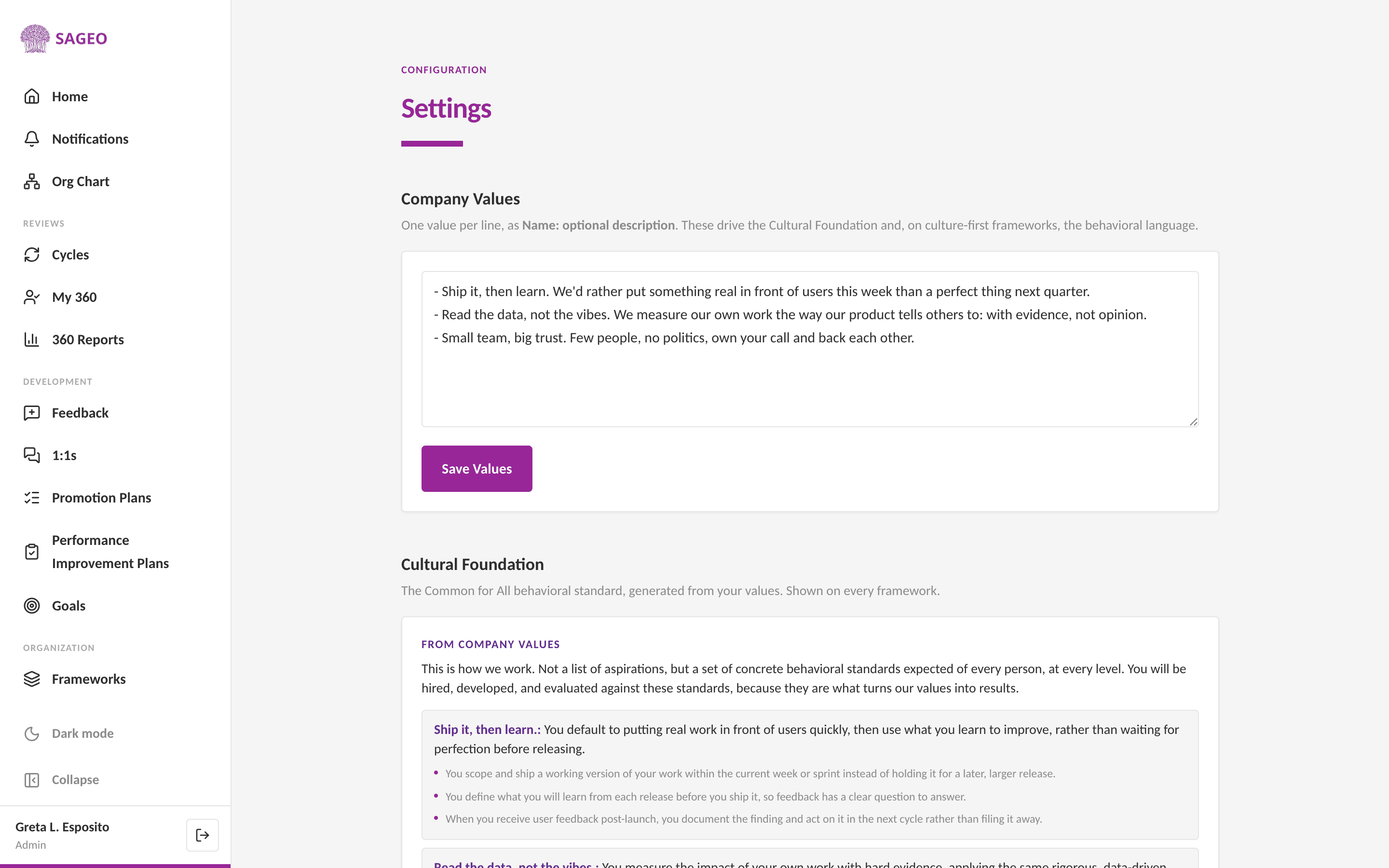
Under Company Values, add one value per line as "Name: optional description", for example "Ownership: we act on behalf of the whole company". Then choose Save Values.
- 3
Sageo turns your values into the Cultural Foundation, a common behavioral standard shown on every framework. Levels are also set here, once, for the whole workspace.
Tip
Keep values concrete. "Bias for action: speed matters, most decisions are reversible" generates a sharper framework than a one-word value.
Still stuck? Email hello@sageo.ai and a person will help.