Weight the final 360 score
Decide how much each reviewer type counts toward each person's blended score.
3 min read
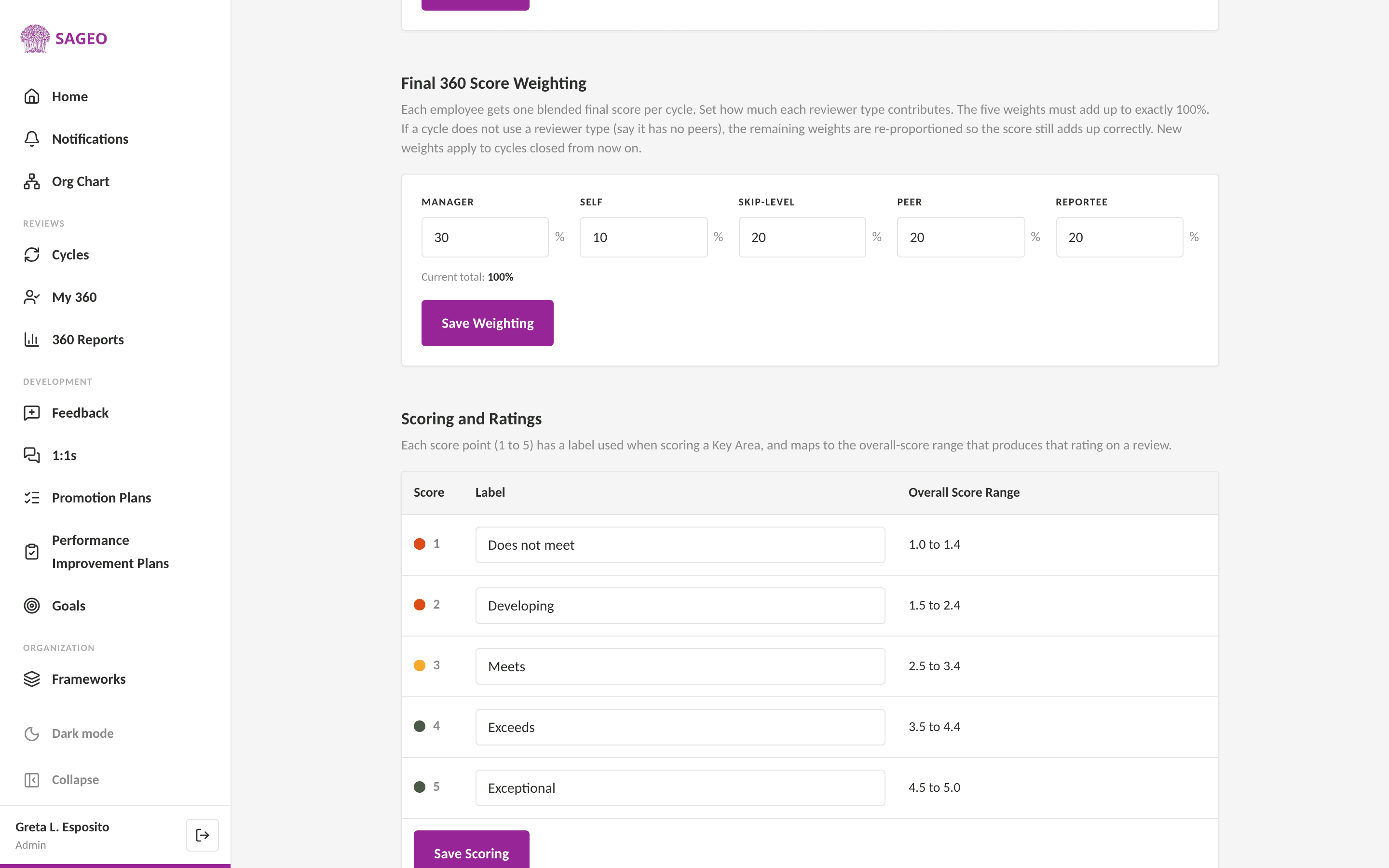
Every employee gets one blended final score per cycle. You set how much each reviewer type, manager, self, skip-level, peer and reportee, contributes to it.
Steps
- 1
Open Settings from the sidebar and find Final 360 Score Weighting.
- 2
Set a percentage for Manager, Self, Skip-level, Peer and Reportee. The five must add up to exactly 100%.
- 3
Choose Save Weighting. New weights apply to cycles closed from now on.
Good to know
If a cycle does not use a reviewer type, say there are no peers, the remaining weights are re-proportioned so the score still totals correctly.
Still stuck? Email hello@sageo.ai and a person will help.