Configure your levels
Set the career ladder Sageo uses across every framework and review.
3 min read
Your levels are your career ladder. They are set once in Settings and apply to every framework. Sageo compresses a 7-level scaffold to the number you choose, and sets the IC and manager fork automatically per function.
Steps
- 1
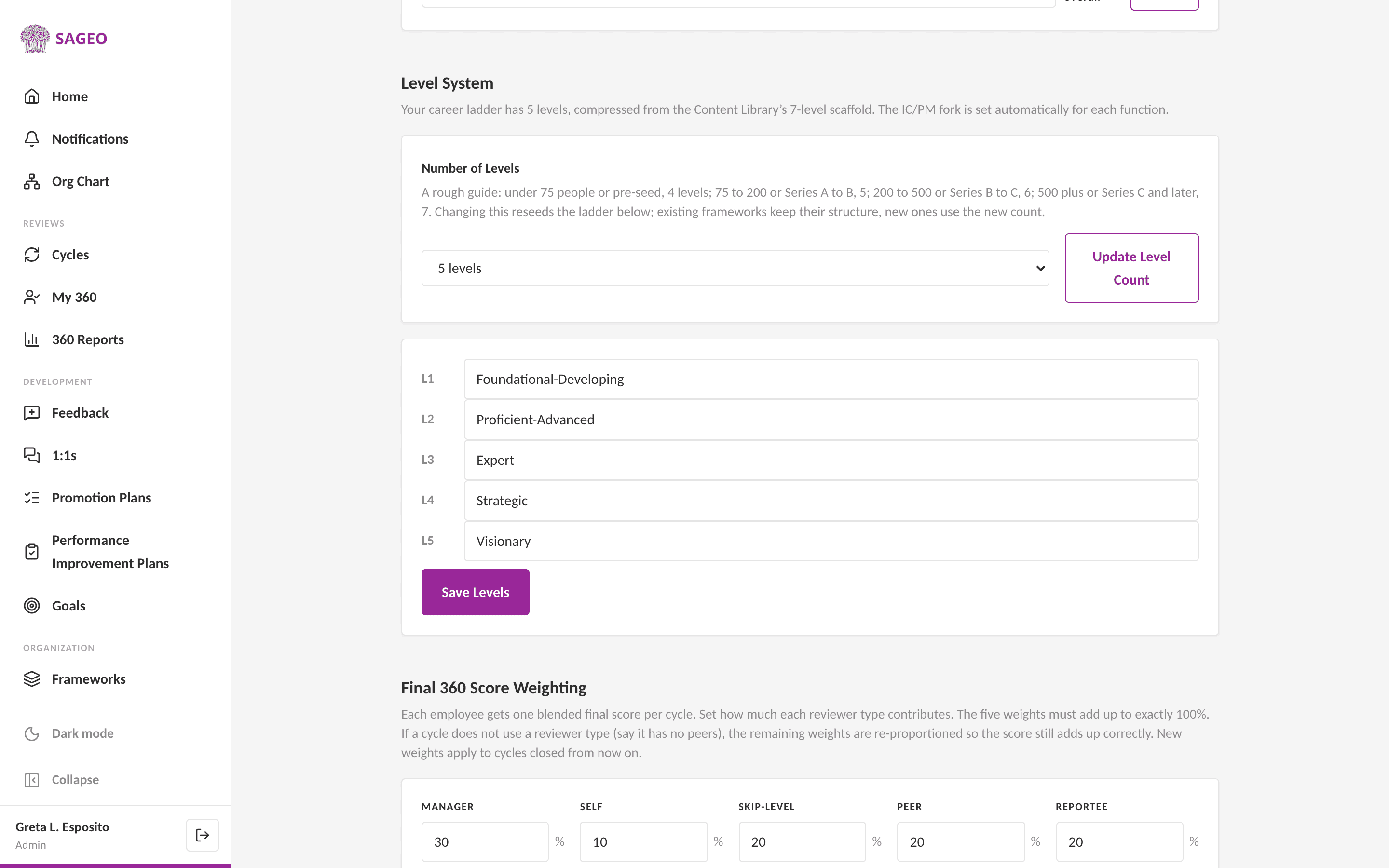
Open Settings from the sidebar, under the Organization section, and find Level System.
- 2
Choose the number of levels. A rough guide: under 75 people, 4 levels; 75 to 200, 5; 200 to 500, 6; 500 plus, 7. Then choose Update Level Count.
- 3
Rename any level (L1, L2, and so on) to your own labels, then choose Save Levels.
Good to know
Changing the level count reseeds the ladder. Existing frameworks keep their structure; new ones use the new count.
Still stuck? Email hello@sageo.ai and a person will help.